请注意,本文编写于 242 天前,最后修改于 242 天前,其中某些信息可能已经过时。
目录
组件间的通信
父传子
1、使用props语法
调用子组件时加入传输数据,编码子组件过程中进行引用
子组件引用
          <Son name={name}
          age={19}
          child={<span>this is span</span>}>
          </Son>
子组件编码
function Son(props){
  console.log(props)
  return <div>这是{props.name},年龄{props.age}</div>
}
使用props只能传递数据,子组件不能修改props传过来的数据。
2、默认传值
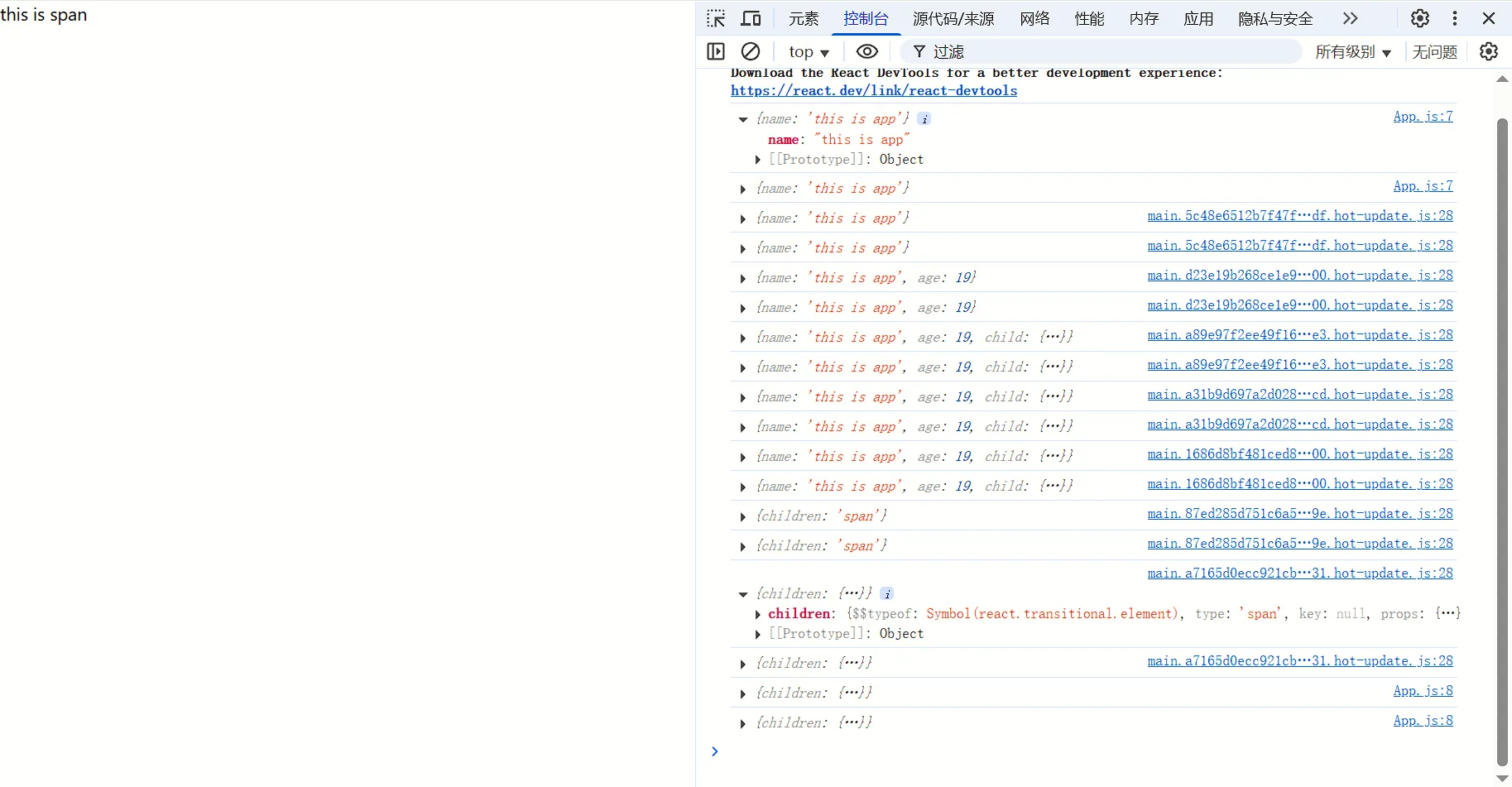
父组件引用子组件过程中,在闭合子组件标签内书写react表达式可实现默认传值
js// 子组件
function Son(props){
  console.log(props)
  return <div>{props.children}</div>
}
function App() {
  return (
    <div>
     <Son
     >
         {/*HTML标签*/}
         <span>this is span </span>
     </Son>
    </div>
  )
}
运行截图:
子传父
把子组件的数据传递给父组件,在子组件中调用父组件中的函数并传递参数
js// 子组件
function Son({onGetMsg}){
    const sonMsg = 'this is son msg'
  return <div>
    <button onClick={() => onGetMsg(sonMsg)}> test</button>
    </div>
}
function App() {
    //状态管理驱动视图变化
    const [msg, setMsg] = useState('')
    const getMsg =(msg)=>{
        console.log(msg)
        setMsg(msg)
    }
  return (
    <div>{msg}
        //调用
     <Son onGetMsg={getMsg}></Son>
    </div>
  )
}
兄弟组件间的通信
兄弟组件就是有相同的父组件的组件,此类组件间的数据传输可以通过其中某个组件将数据传到父组件,再通过父组件传到其它组件上
使用context机制实现夸层间组件通信
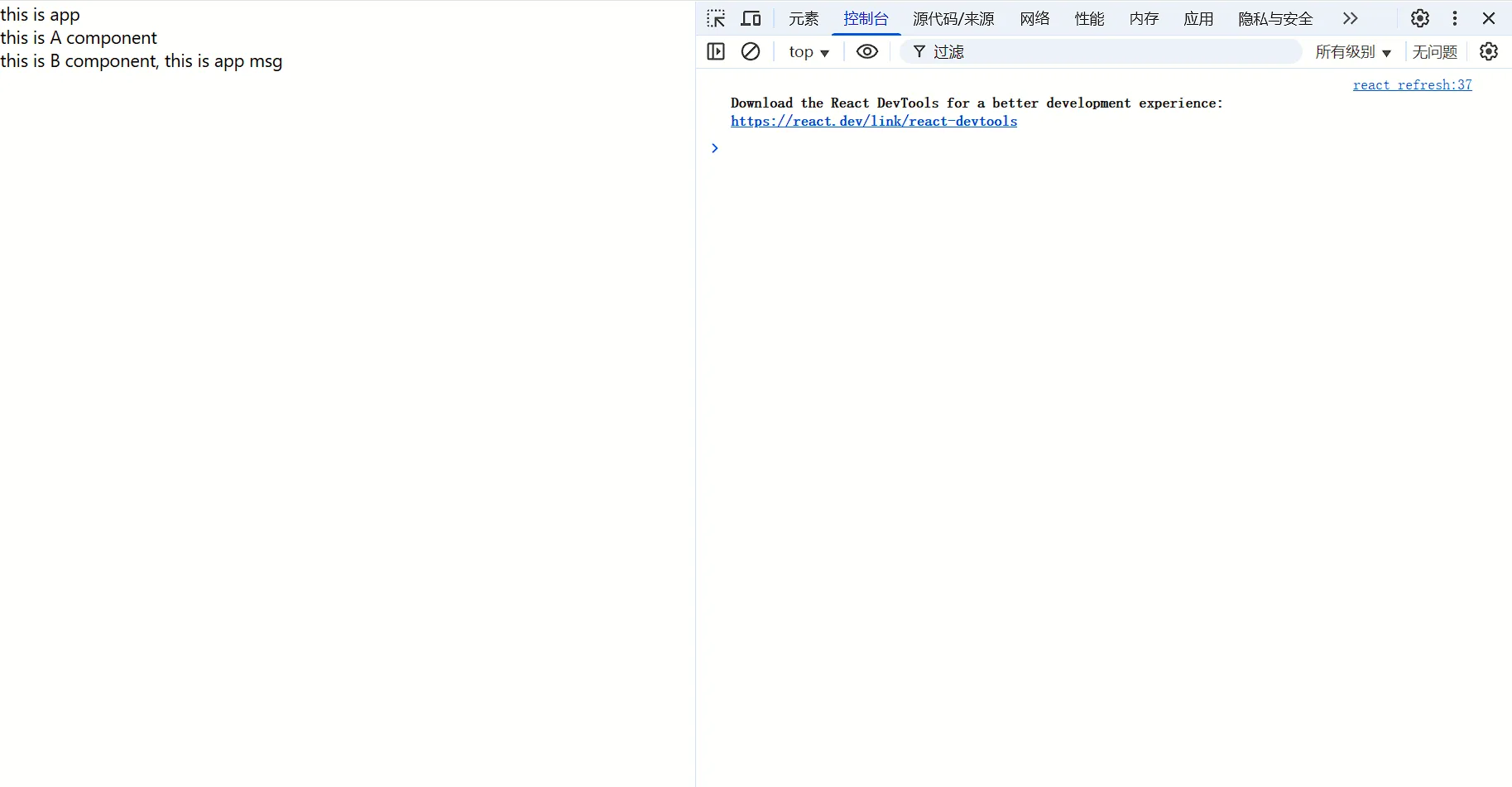
1、通过createContext创建上下文对象 2、在顶层组件中利用provider引入 3、在底层组件中通useContext引入 组件之间的层级是相对的,利用provider引入数据必须包含次层级组件
js// 1、createContext方法创建上下文对象
const MsgContext = createContext();
//子组件B
function B(){
    // 3、将MsgContext对象传入
    const msg = useContext(MsgContext)
    return <div>this is B component, {msg}</div>
}
// 子组件A
function A(){
  return <div>this is A component<B/></div>
}
function App() {
    const msg = 'this is app msg'
  return (
    <div>
        this is app
        {/*2、在顶层组件通过provider组件提供数据*/}
     <MsgContext.Provider value={msg}>
        <A/>
     </MsgContext.Provider>
    </div>
  )
}
运行截图
本文作者:寒江孤影
本文链接:
版权声明:本博客所有文章除特别声明外,均采用 BY-NC-SA 许可协议。转载请注明出处!
目录